My Hello Kitty Cafe Scripts
Neutral feature lists, public loadstring examples, and clear warnings about Roblox Terms of Use risk.
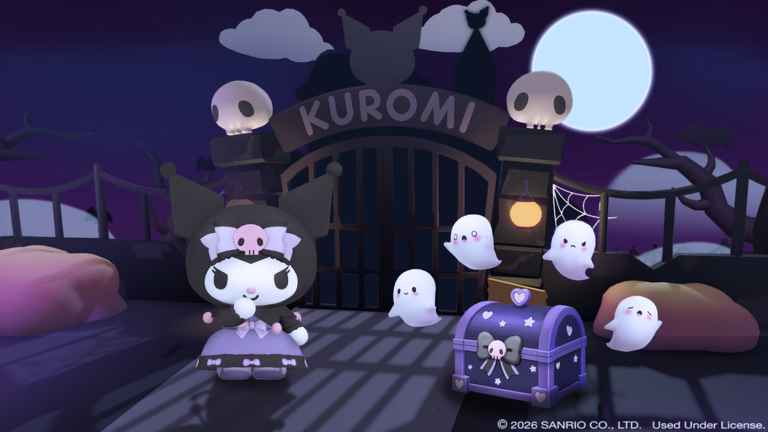
This Scripts Hub documents publicly shared automation scripts for My Hello Kitty Cafe (Roblox place 9346039031, universe 3494556606, Rock Panda Games, Sanrio-licensed, released 2022-04-12). The goal is transparency: players searching for “auto farm Hello Kitty Cafe” should understand what common hubs claim to do, how loadstrings are usually pasted, and why executors can conflict with Roblox Terms of Use.
Important: Using third-party scripts, injectors, or exploits may violate Roblox ToS, trigger anti-cheat responses, and risk account warnings, bans, or loss of paid items. This page does not instruct you to break rules. Features are described neutrally so you can make an informed decision—or skip scripts entirely and progress with codes, quests, and updates instead.
Prefer official progression? Claim gifts on the Codes Hub, follow the How to Redeem flow, track events on the Updates Hub, and use the Tools Hub checklists.
Common script feature sets
Public My Hello Kitty Cafe scripts typically bundle some combination of:
| Feature | What it usually automates |
|---|---|
| Auto minigame | Repeated minigame inputs / score loops |
| Auto dig chests | Chest digging or treasure interactions |
| Auto farm | Continuous coin / resource loops across cafe tasks |
| Auto feed | Feeding pets, pals, or related care actions |
| Auto invite | Town ID invite / visit helpers for solo-town social loops |
Because towns run as solo servers (maxPlayers 1) with visit/invite via Town ID, “auto invite” tools focus on sharing or accepting town visits rather than classic multiplayer matchmaking. Auto farm modules often chain serving, Coffee Truck, Outdoor Cafe, and décor-adjacent chores so Coins, Diamonds sinks, Gacha Tix grind, and Staff Card progress move while the client stays open.
Deeper notes on farming loops live on Auto Farm Scripts.
Public loadstring examples
The following loadstrings appear in public GitHub raw pastes associated with this experience. They are listed for documentation only. Pasting unknown remote code into an executor is inherently risky—remote files can change without notice.
loadstring(game:HttpGet("https://raw.githubusercontent.com/79-x/W/main/Hello%20Kitty"))()loadstring(game:HttpGet("https://raw.githubusercontent.com/CasperFlyModz/discord.gg-rips/main/MyHelloKittyCafe.lua"))()loadstring(game:HttpGet('https://raw.githubusercontent.com/JustAP1ayer/PlayerHubOther/main/PlayerHubHelloKittyCafe.lua'))()Typical executor workflow people discuss online (again, ToS risk applies):
- Join My Hello Kitty Cafe and wait for the town to load.
- Attach a supported executor (unsupported clients fail silently or crash).
- Paste one loadstring into the executor console.
- Run once; wait for the hub GUI.
- Toggle only the modules you understand (farm, minigame, dig, feed, invite).
If a GUI never appears, the raw file may be offline, renamed, or blocked. Do not chase random “fixed” reuploads from strangers in chat.
Why scripts break after updates
Rock Panda Games ships content patches, event hooks (see Kuromi Event), and UI tweaks that rename remotes or rearrange prompts. Auto minigame and auto dig modules are especially fragile when mansion layouts or chest interactions change. After any patch noted on the Updates Hub, assume scripts need a maintainer update—even if Coins still tick for a few minutes.
Safer alternatives inside the wiki
- Redeem verified gifts via Codes instead of auto-claim injectors.
- Follow event missions manually during Kuromi Mansion / Mini Stage windows.
- Use the Tools Hub daily quest, floor unlock, and redeem checklists to stay efficient without automation.
- Watch official channels listed on the Links Hub for legitimate QoL changes.
Risk summary (read before experimenting)
- Scripts may violate Roblox Terms of Use and Rock Panda / experience rules.
- Account penalties can include temporary locks or permanent bans.
- Malicious loadstrings can steal session cookies or spam harmful requests.
- “Free Diamond” script claims that skip official economies are almost always scams.
- This wiki never asks for your password and never hosts executor binaries.
Related pages
- Auto Farm Scripts — deeper look at farming toggles and public loadstrings
- Codes Hub — legitimate free rewards
- Updates Hub — patch timing that breaks script offsets
- Tools Hub — manual efficiency checklists
- Links Hub — official socials and game page
Play fair when you can. If you still research scripts, treat every remote loadstring as untrusted code, keep backups of meaningful café layouts, and never run executors on accounts you cannot afford to lose.
Frequently Asked Questions
Quick answers for cafe managers.
Are My Hello Kitty Cafe scripts safe?
No guarantee. Public loadstrings can change remotely, may violate Roblox ToS, and can include malicious code. Prefer official play, codes, and checklists when possible.
What features do Hello Kitty Cafe scripts usually include?
Common modules are auto minigame, auto dig chests, auto farm, auto feed, and auto invite helpers for the solo town / Town ID visit system.
Will scripts get my account banned?
They can. Injectors and automation often conflict with Roblox Terms of Use. Any use is at your own risk; this wiki only documents public examples neutrally.
Where can I read more about auto farm toggles?
See the Auto Farm Scripts page linked from this hub for a deeper feature breakdown and the same public loadstring examples.
Do scripts still work after Kuromi or other events?
Often not without updates. Event minigames and UI changes frequently break offsets—check the Updates Hub after each patch.